Mentoring Was a Soft Skill — AI Made It a Hard Skill

Working with GitHub Copilot to develop software, I was struck by how surprisingly human AI can feel.

When you give Copilot a task, it does not produce a perfect answer in one step. It makes a plan, follows it, checks its own work, notices mistakes, and tries again. This loop of planning, acting, evaluating, and adjusting is the same way humans work.1

For a long time we imagined AI as something that would make no mistakes. Early hallucinations challenged that idea. But with agent-style workflows, the problem becomes manageable in the same way it is with humans. We create checks for correctness, break big problems into smaller pieces, and work around limited memory or context.

We also like to think that humans reason from first principles. In reality, we mostly reuse ideas we have already heard. AI works in a similar way.

The main differences are speed, endurance, and focus. AI does not get tired or distracted.

Working with AI agents also feels similar to delegating work to coworkers. First you make sure you both understand the task. Then you set guardrails so things do not go in the wrong direction. You do not want to micromanage, but you also do not want to discover too late that everything has drifted off course. If you have ever delegated work to a junior colleague, you already have an advantage when working with AI.

In fact, working with AI is teaching techies a new skill: mentoring. What was once a soft skill is now a hard skill.

The unsettling part will come when AI is no longer the junior partner. When Copilot starts taking real initiative and becomes your mentor, what will that look like?

More

https://www.oneusefulthing.org/p/three-years-from-gpt-3-to-gemini?

  1. Note that it’s not that surprising. The agent mode was designed like this by human. The loop isn’t an emerging property of LLM. ↩︎

SAFe: What’s a System Architect?

After five years in the role and experience with two different ARTs, it feels like a good time to reflect on what the System Architect role really means in SAFe.

The main responsibility of the System Architect is to align teams around a shared architectural vision and to plan the necessary architecture work together with the teams through enablers.

In SAFe, the Product Manager acts more like a project manager who plans the work but doesn’t own the roadmap content. Business features and epics usually come from the business side. The System Architect, on the other hand, owns the architectural enablers and works closely with the PM and POs to plan their realization.

Architecture itself is a large and multifaceted area. I find the definitions of enablers and the architectural runway somewhat unclear. Platforms are clearly enablers, but it’s less obvious whether something like an interface qualifies as one. The term “architecture runway” is essentially another way to describe architectural foundations. In practice, architectural work often relates to technology—such as platforms, services, and cross-cutting concerns—but it can also include non-technical elements, like core data models.

In modern architecture, application architecture and application delivery are tightly connected. SAFe includes the promotion of DevOps practices as part of the architect’s work. The framework does not prescribe specific architectural artefacts, so documents like system architecture descriptions, quality reports, or technical debt tracking sheets must be shaped by the context and the needs of the ART.

While the System Architect is responsible for communicating the architectural vision and owning the enablers, the way this work is carried out can vary a lot. The architect may act as a facilitator who brings people together to clarify architectural needs and focuses on managing the architectural effort. The architect may also take a designer role, setting a clear direction and focusing on the overall system design. In both cases, during implementation the architect may work closely with the teams as a partner or delegate the work fully, depending on the situation.

Unlike the PM and RTE, who have clear counterparts at the team level (PO and Scrum Master), the System Architect does not. In Scrum, the entire development team shares responsibility for architecture, which can make alignment and collaboration more challenging.

Part of the System Architect’s work is to identify the right challenges for the ART and address them in the right way. These challenges can look very different depending on how the ART is set up. If several teams work on a single product, there are shared architectural foundations that cut across teams, and coordinating changes becomes essential. If the ART has teams working on separate products but using shared platforms, alignment is still needed but in a more subtle way, since teams have more freedom in how they work. If teams build independent products on different platforms, the main challenge becomes managing that diversity and keeping the overall architecture coherent where it matters.

What success means for a System Architect depends on the product portfolio, the IT strategy, the architect’s skills, the teams’ maturity, and the culture within the ART. But in every case, success comes from shaping the architecture in a way that helps the ART deliver real value, not from following a fixed recipe.

The Great AI Buildout

The ongoing AI buildout has similarities with the railroad expansion of the 20th century. Both are capital intensive undertakings with the potential to reshape the entire economy. Just as railroads transformed how we navigate physical space, AI is poised to transform how we navigate the information space.1 It’s obvious that railroads were useful and AI is no different.

During the railway boom, railroads proliferated amid intense competition. Overcapacity was common, some companies went bankrupt, and the industry took years to consolidate. Eventually, railroads became commoditized.

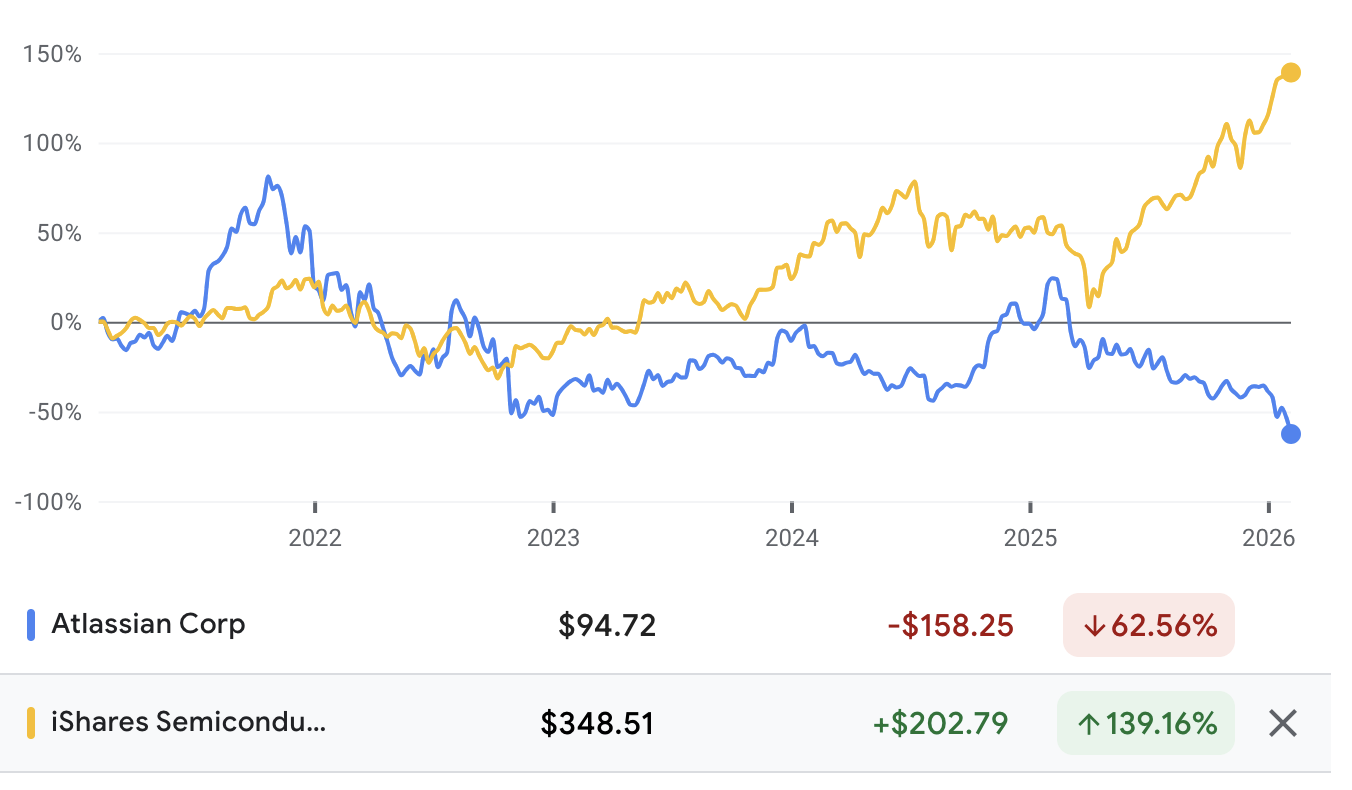
The same dynamics may play out with AI. Semiconductors and datacenters are the tracks and rolling stock. AI applications are the railway companies operating the lines. The coming years will reveal which segments of the AI ecosystem are truly profitable.

At the peak of the railroad era, rail companies accounted for roughly 60 percent of market capitalization. Today, AI makes up about 30 percent of the stock market. Such valuations are only justifiable if AI adoption becomes widespread. For semiconductors and datacenters, this means continuing infrastructure buildout. For AI applications, this means acquiring enough users to finance that growth.

The investment in AI is enormous—around $220 billion per year. But it does not need to replace all labor to be justified. Global labor is about $60 trillion per year, and information work accounts for roughly 10–20 percent of that. By this math, AI only needs to replace 1.8 to 3.7 percent of information work per year to pay off the investment.

At the individual level, that is about one or two days of work saved per information worker per year. With AI agents, improving information work—searching, aggregating, writing, and generating information—is already within reach. This means the current investment is economically justified even if AI only captures a small portion of information work.

More

  1. The metaphor is not as stretched as it seems. Large language models literally encode information in multi-dimensional vector spaces, computing distances between vectors to find similarities. ↩︎

Working with AI – Second Experiment

My first “experiment” is now 1.5 years old, which feels like a lifetime in AI.

To get a sense of where we are with Copilot today, I decided to revisit that project. The goal was to upgrade the one-page web app into a proper Angular application using TypeScript.

I also took on the “Copilot challenge“: use only Copilot – No manual edits.

Here’s what I learned this time:

Refactoring with AI works
I was able to split code into Angular components, convert interactions to RxJs, move logic around, add proper typing, convert promises to async functions, extract services, remove dead code, and clean up naming. Copilot handled all of this well.

It handles technical code reliably
Parsing data, building user interfaces, caching with local storage, customizing chart behavior, adding compression: Copilot handles this also very well. It got confused with API behavior across chart library versions, but a real developer might too as well. It made UI iteration fast and smooth.

Agent mode is far better than edit mode
Edit mode often produced code that wouldn’t compile or had broken imports. Agent mode fixed those issues automatically. Not having to think about the context that much is also a relief. Using only edit mode first helped me see how much better agent mode is for real-world use.

Feels like working with a junior developer
Copilot gets things done, but may take shortcuts. Sometimes it ties logic too closely to rendering or makes structural choices that aren’t ideal. It helps, but you still need to guide it.

The code quality is generally good
Its output is usually clean, readable, and idiomatic. Not always how I’d write it, but solid. It consistently handles edge cases like null values. Over time, though, consistency degrades. One feature might follow one style, another a different one. You still need to set and enforce coding standards. Comments appear inconsistently, sometimes helpful, sometimes missing.

Mixed experience with CSS styling
Copilot is good at suggesting layout ideas, but maintaining a consistent visual style across the app was difficult.

It can write basic business logic
If your specification is clear and specific, it can generate useful logic. But for the code to match your expectation, you need to put the effort to give a precise specification. I didn’t investigate the generation of the test accordingly, this is for sure a subject to investigate further.

Temporal data types remains a weak spot
Handling dates was frustrating. I started by converting strings to date objects, thinking it would be more robust. But JavaScript’s Date isn’t well suited for this. Copilot didn’t flag the issue. Only later, when I asked directly, did it suggest sticking with strings. It often confused timestamps and date objects.

Data manipulation is a strong point
Tasks like changing the structure of JSON files or merging them worked well. No major issues here.

Copilot enables much faster iteration, significantly lowering the cost of programming and shifting the work towards software design only. The improved reliability of the agent mode compared to the edit mode provides a major cognitive relief. Iterating through chat, or even “negotiating” a solution before asking Copilot to implement it, feels fundamentally different from classic development.

Programming is an activity that tax your short-term memory. Usually, if I have less than half an hour, I won’t engage in programming. It’s usually too short to switch context and produce some working code. Something interesting happened during this second experiment: even if I had on 15-20 min, I could quickly try out a new idea with copilot.

There’s no question that it’s a more productive way to work.

Stop Writing Code: The Copilot Challenge

What if the best way to master Copilot… was to stop writing code yourself?

Seriously. For one week, try this: don’t type a single line of code manually. Not a function, not a fix, not even a variable rename. Use only Copilot’s edit panel or inline chat. Prompt it. Guide it. Iterate with it until it gives you exactly what you want.

At first, it’ll feel terrible. You’ll see a bug and want to just fix it. You’ll want to write the obvious helper function. You’ll feel slower. But that discomfort is exactly what makes this powerful. It forces you to get better at communicating with Copilot. You have to break down problems into clear steps. You have to give proper context. You have to think like a teacher, not just a doer.

And without even realizing it, your coding style starts to shift. You begin naming things more clearly so you can refer to them easily in prompts. You start structuring logic in ways that are easier to explain and reuse. Just like writing testable code improves architecture, writing code that’s “promptable” improves clarity and design. You’re not just optimizing for the machine — you’re learning to write code that explains itself.

You can still use inline chat to nudge Copilot: “Add a loop that groups items by category.” You can even dictate code word-for-word if you really want to. But that’s tedious, and you’ll quickly realize it’s easier to just get better at prompting.

This constraint becomes a force function. You stop relying on your muscle memory and start building Copilot fluency. You learn when to rephrase, when to simplify, when to break things down smaller. And as you do, you become dramatically more productive — not just faster, but more thoughtful.

Now imagine turning this into a game. A leaderboard that says “It’s been 6 days since I last wrote a line of code myself.” Friendly team competition. Badges like “100% Copilot PR” or “Zero Typing Tuesday.” A culture shift that makes learning fun — and a little bit addictive.

This isn’t about replacing developers. It’s about training ourselves to think differently. To move from writing code to shaping it. To go from typing to directing. And in the process, to write code that’s not just correct — but clear, composable, and ready for collaboration with humans and machines alike.

So give it a shot. No code writing. Just Copilot. See how far you can go — and what you learn along the way.

Climbing the Abstraction Ladder with LLMs

Software engineering has always been about raising the level of abstraction.

We started with assembly language, then moved to procedural programming (Pascal), followed by structured programming (C). Object-oriented programming (C++) introduced encapsulation, while managed memory (Smalltalk) improved reliability. Later, portability became a focus with language runtimes like Java and C#.

This progression has been captured through the concept of programming language generations—1st, 2nd, 3rd, 4th, and 5th generations. The 4th generation was envisioned as a major shift: instead of manually managing implementation details like data structures and persistence, developers would write high-level specifications, and the language or environment would handle the rest. The 5th generation would rely on automated problem-solving. However, despite various attempts, mainstream programming remains at the 3rd generation, and 4th- or 5th-generation programming has yet to materialize—until now.

Large language models (LLMs) might be the first real step toward achieving this vision. For the first time, we can provide human-level specifications and let an AI generate working code. LLMs attempt to resolve ambiguities and infer intent—something they do surprisingly well. Interestingly, generating code that strictly adheres to a precise specification might turn to become the challenge.

Right now, with tools like Copilot, we use LLMs “in the small” to generate local sections of code. But what happens when we use them “in the large”—to generate most of a system? We may soon be able to integrate architecture documentation, business specifications, and UX mockups to produce functional software, but how such documentation should be structured remains an open question. As a colleague once put it, we will need an entirely new “theory of software documentation” for the age of LLMs.

This shift also echoes some of the ideas behind literate programming, introduced by Donald Knuth, which aimed to make code more readable by structuring it like natural language text. Throughout the history of software engineering, the primary medium for expressing and evolving programs has been text. LLMs, trained on vast amounts of textual data, take this evolution to its next logical step, blurring the lines between documentation and implementation.

Between small-scale and large-scale code generation, one particularly interesting application of LLMs is refactoring. Automating local modifications across large codebases has traditionally been handled by tools like OpenRewrite. However, writing precise transformation rules is tedious. Given LLMs’ ability to extrapolate from examples, they seem promising in the area.

With large-scale code generation, it’s still unclear how much of our code will be AI-generated in the future, and how much will require manual intervention. Also, it’s unclear how we will we manage and distinguish between the two. Traditional methods rely on inheritance or annotations to link generated and manually written code. LLMs, however, are not bound by these constraints. They can generate, rework, or extend code seamlessly. This isn’t just a technical problem but a methodological one.

The foundations—both technical and methodological—for engineering software with LLMs are still being developed. The best way forward is through experimentation and collective learning. The software industry is already embarking on this journey, and it’s exciting to be part of such a profound shift.

Talk: Inside SAFe Principle #1 (@SBB DevDay’24)

I gave a talk a the yearly SBB DevDay conference. It was about SAFe’s principle #1: Take an economic view. The main idea was to compare the economics of software development with the economics of manufacturing to better understand concepts like capex, opex, maintainance, debts.

Understanding ChatGPT

ChatGPT has surprised everyone. We now have systems that produce human-like texts. Without much fanfare, ChatGPT actually passed the Turing test.

While we don’t fully comprehend how and why large language models work so well, they do. Even if we don’t fully understand them, it’s worth building an intuition about how they function. This helps avoid misunderstandings about their capabilities.

In essence, ChatGPT is a system that learns from millions of texts to predict sentences. If you start a sentence, it tries to predict the next word. Taking the sentence augmented with one word, it tries again to predict the next word. This way, word after word, it can complete sentences or write whole paragraphs.

Interestingly, the best results are achieved when introducing randomness in the process. Instead of always selecting the most probable word each time, it’s best to sometimes pick alternatives with lower probabilities. It makes the sentences more interesting and less redundant.

What’s also kind of amazing is that this approach works to answer questions. If you start with a question, it tries to predict a reasonable answer.

Thinking of ChatGPT as a text predictor is useful, but it’s even more useful to think of it as a form of compression. When neural networks learn from examples, they try to identify regularities and extract recurring features. The learning is lossy: the neural network doesn’t remember the examples it was fed with exactly. But it remembers the key features of them. When ChatGPT generates text, it “interpolates” between the features.

Impressive examples of “interpolation” are prompts that mandate an answer “in the style of,” for instance, “in the style of a poem.” ChatGPT not only gives a coherent answer content-wise but also applies a given style.

But ChatGPT is, in essence, interpolating all the time. It’s like a clever student who didn’t study a topic for the course but has access to the course material during the exam. The student may copy-paste elements of the answer and tweak the text to sound plausible, without having any real understanding of the matter.

What ChatGPT shows us is that you can go very far without a true understanding of anything. And I believe that this applies to how we behave too. On many topics, we can discuss based on facts we heard, without actually understanding the underlying topic. Many people who sound smart are very good at regurgitating things they learned somewhere. They wouldn’t necessarily be particularly good at reasoning on a topic from first principles. To a certain degree, we conflate memory with intelligence.

At the same time, ChatGPT can do some reasoning, at least some simple one. It probably has extracted some feature that captures some logic. It works for simple things like basic arithmetic. But it fails when things become more complicated.

Fundamentally, when predicting the next word, ChatGPT is doing one pass of the neural network, which is actually one function. A pass of the neural network cannot do a proper computation that would involve, for instance, a loop. It fails the prompt “Starting with 50, double the number 4 times. Do not write intermediate text, only the end result.”, giving 400 back. But asked to write the intermediate steps, it computes correctly 800. You can help ChatGPT into multi-step computation by asking him to write the intermediate steps because then it will go through the neural net several times. This pattern is known as “chain of thought prompting.”

We don’t fully understand ChatGPT yet—how it works and what it really can do. But clearly, it can do more than we expected, and it will bring all kinds of exciting insights about cognition.

References:

What is Apple?

Apple has grown into a fascinating company with a diverse range of offerings. Initially known for its computers, it has expanded into various industries. With Apple being the most valuable company in the world according to its market capitalization, it’s worth asking: what is actually Apple now?

It’s a fashion company – Apple has become a fashion staple, with its accessories blending seamlessly into our daily lives. We don’t just use Apple products; we wear them (EarPod, iPhone).

It’s a luxury company – Apple’s products command a premium price tag, appealing to consumers seeking quality and prestige. Interestingly, both the affluent and the everyday consumer use Apple products.

It’s a technology company – At its core, Apple remains a technology powerhouse, continuously pushing the boundaries of innovation with advancements like the M1 chip or VisionPro, a testament to its ongoing commitment to cutting-edge design and functionality.

It’s an entertainment company – Venturing into entertainment with Apple TV and original content production, Apple has diversified its portfolio beyond hardware alone.

It’s a finance company – Apple has financial services like the Apple Store and Apple Pay, showing its ambition to capitalize on its robust market presence. Apple is becoming a bank more and more.

So basically, Apple does a bit of everything, which is pretty interesting!

While many of these products were launched under the leadership of Steve Jobs, others have been initiated under the stewardship of Tim Cook. Cook may not have spearheaded groundbreaking innovations like the iPhone, but his management has propelled Apple to new heights.

Renowned investor Warren Buffett’s strategy typically avoids technology investments due to their intense competition and difficulties in sustaining lasting competitive edges. Instead, he prefers investments in durable goods and services with robust brand loyalty and high switching costs. The evolution of Apple’s identity is noteworthy, particularly as Buffett began investing in the company. Today, Apple stock comprises a significant 70% of his portfolio, marking a notable departure from his traditional investment approach.

Apple’s story is unique and one thing remains certain: its ability to surprise, inspire, and redefine industries will continue to captivate audiences worldwide.

(Style improved with ChatGPT)

Neuromancer

Amidst all the excitement about AI and the metaverse, I recently decided to dive into Neuromancer, the classic sci-fi novel that sparked the cyberpunk genre.

I’d heard it was a big inspiration for The Matrix, so I was curious to see how they compared. While there are definitely similarities, like the matrix itself and the tough, leather-clad female character, the plot diverges distinctly.

Instead of focusing on freeing humanity from the matrix, the book revolves around jailbreaking an AI and merging it with another AI to create a superintelligence. It kind of reminded me of Transcendence, with its futuristic vibe similar to Blade Runner, which came out around the same time as the book.

The writing style is pretty unique, almost like poetry in places, and the story feels like a wild ride. It’s not the easiest read, but it captures well the crazy journey the characters are on.

One thing that stood out to me was how the book portrays the matrix/cyberspace—it’s abstract and undefined, somewhere between VR and a system for visualizing information, kind of like augmented reality today.

It’s also somewhat ironic is that despite its visionary themes, Neuromancer didn’t foresee wireless communication. The protagonist constantly “jacks in” and “jacks out”, relying on physical cables.

It’s pretty wild to think that this book was written back in 1982, considering it tackles themes like AI and the metaverse that are becoming such big topics in 2024. Apple released its first VR set, AI got mainstream, and discussions about the risks of AI are hotter than ever. Neuromancer’s foresight is pretty impressive, making it a classic worth revisiting.

(Blog post style improved with ChatGPT)